From flat PDF to fillable form.
Add interactive fields, automated calculations, and signatures to any document. Exports clean, standard PDF forms that fill reliably in Acrobat, Apple Preview, and modern browsers.
Standard PDF forms without the subscription or the cloud queue
Contracts, tax filings, and clinical records: author professional fillable forms locally on your machine with exact typography, calculations, and vector geometry.
Local Execution
All PDF parsing, auto-detection, and AcroForm compiling run directly on your CPU. Documents never transmit to external servers.
Native PDF Standards
Generates ISO-compliant AcroForm widgets, calculation scripts, and segmented comb flags compatible across all standard PDF readers.
Live Calculations
Define spreadsheet-style formulas for subtotals, tax rates, and sums with automated calculation order propagation.
From flat PDF to fillable form in three steps
Zero waiting queues or remote processing. Everything compiles immediately in local memory.
Open document
Select any PDF or start with a blank canvas. The document loads directly in local memory.
Place and configure fields
Position inputs, comb character boxes, formulas, or signatures. Use auto-detect to map form lines automatically.
Export standard PDF
Download a production-ready AcroForm or flattened archive that fills cleanly in any reader.
Start with a pre-built template
Need a quick starting point? Select a template with ready-to-use fields and customize it directly.
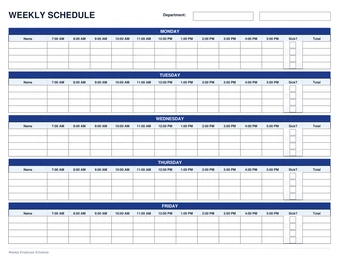 Operations
Weekly Schedule
5-day employee shift schedule with hourly slots, sick checkboxes, and total hours.
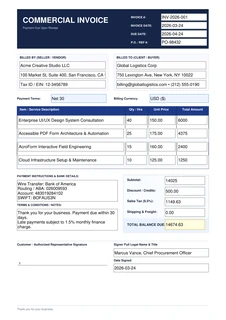 Billing & Tax
Commercial Invoice
Itemized billing invoice with automatic line totals, tax calculation, and balance due.
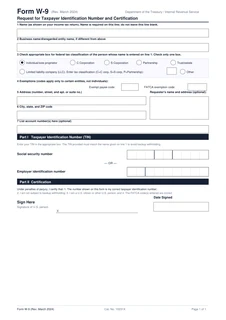 Tax & IRS
W-9 Taxpayer ID
IRS Form W-9 request with pre-calibrated SSN/EIN taxpayer comb boxes and radio groups.
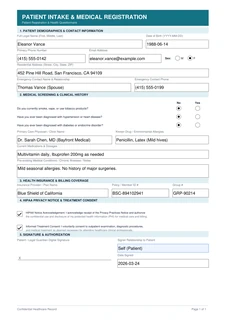 Healthcare
Patient Intake
Medical intake questionnaire with clinical screening radios, insurance, and consent.
 Real Estate
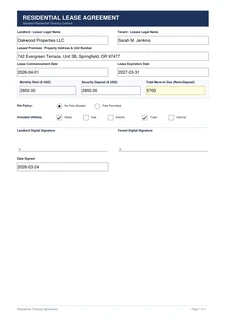
Residential Lease
Tenancy agreement with auto-calculating move-in costs, pet policy, and dual signatures.
 Property Mgmt
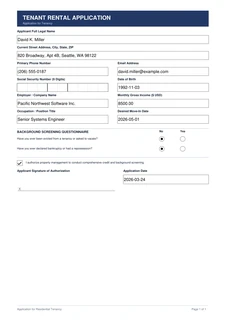
Tenant Application
Rental application with 9-digit SSN comb box, background questionnaire, and authorization.
Built for everyday paperwork
From single-page invoices to multi-page contracts, make any document fillable in minutes.
Invoices & billing
Add payment terms, itemized field rows, and signature lines to any billing document.
Shift & team schedules
Track weekly shifts and attendance across departments with dedicated hourly slots.
Patient intake
Prepare digital intake forms that patients can complete before arriving at the clinic.
Leases & rentals
Let tenants fill out and sign rental applications directly on desktop or mobile.
Tax & onboarding
Send W-9s, employee packets, and direct deposit authorizations ready for digital input.
Tenant applications
Screen prospective tenants with structured employment, rental history, and consent fields.

Built for confidential legal & healthcare documents
When handling proprietary contracts, patient records, or financial disclosures, documents should stay on your machine. Formblatt executes the entire PDF parsing and form compilation pipeline locally in WebAssembly without transmitting data to external servers.
Every tool you need, completely free
All essential tools to design, align, and export clean fillable PDF forms.
Formulas & Auto-Calculations
Define dynamic sum totals, line item products (Qty × Price), tax, and discounts with on-canvas field picking and native AcroForm calculation scripts.
Form Auto-Detect
Scan any page vector layout to detect blank lines, bounding boxes, and checkboxes in seconds.
Signatures
Draw freehand or type a signature in cursive. Vector lines remain crisp at any zoom level across desktop and mobile.
Smart Alignment & Tables
Snap fields into place, distribute horizontal and vertical spacing evenly, and fill formulas down table columns.
Multi-Currency & Formatting
Configure dollar, euro, pound, or custom currencies with decimal precision, prefix/suffix notation, and automatic right text-alignment.
Local Sandbox Privacy
All parsing, editing, and compiling run entirely in your local browser memory. No documents or data ever touch external servers.
What teams say after their first form
"I needed to send a fillable invoice to a client right away. This was faster than digging up an Adobe subscription login."
"New-hire onboarding used to mean stacks of printed paperwork. Now our recruits fill and sign everything digitally."
"I appreciate not having to explain to a client why an unknown cloud service is hosting their confidential agreement."
Free and transparent by design
Formblatt is free and open source under the AGPLv3 license. Review the source code, self-host it, or contribute on GitHub.
GNU AGPLv3 License
Copyleft open-source license ensuring that improvements and network deployments remain free and open.
Static & Self-Hostable
No backend server needed. Deploy on Vercel, GitHub Pages, or internal air-gapped networks.
Public Codebase
Every update is open on GitHub. Submit suggestions, audit security, or review how features work.
Standard AcroForms
Exports adhere strictly to ISO 32000 specifications for universal PDF reader compatibility.
Verify privacy yourself
Most PDF tools upload your file to an external server. Formblatt processes everything locally in your browser, so no server ever sees your document.
Open browser dev tools
Press F12, or Cmd+Option+I on a Mac.
Switch to Network tab
Clear the log, then drop a PDF into the editor.
Watch zero requests
Place fields, sign, and export. The network log stays completely empty.
Universal PDF standard, zero proprietary locks
Every exported form follows standard ISO 32000 AcroForm specifications, behaving identically in every viewer.
Adobe Acrobat
Full support for text, checkboxes, dropdowns, and signatures.
Apple Preview
Fills and prints correctly on Mac, iPad, and iPhone.
Google Chrome
Fillable right in the built-in PDF viewer.
Microsoft Edge
Supports tab navigation and saving filled fields.
Mozilla Firefox
Renders through the open-source PDF.js engine.
Foxit & PDF Expert
Accurate field placement and tab order, out of the box.
Common questions & answers
Is Formblatt completely free?
Yes. There are no paid tiers, watermarks, trial expiration dates, or page limits.
Are my uploaded files private?
Yes. Documents load into local browser memory and never leave your machine. No files are uploaded to any server.
Will forms open properly in Acrobat and Preview?
Yes. Every file exports as an ISO 32000 compliant AcroForm, fully supported in Acrobat, Preview, Chrome, and Edge.
How does Auto-Detect work?
It scans underlying page vectors for form lines, bounding boxes, and checkboxes, then inserts interactive fields automatically.
Can I use Formblatt for confidential patient or legal records?
Yes. Because all PDF manipulation runs strictly in your local browser sandbox, no external server processes your data.
Have a PDF that needs form fields or a signature?
Drop it in and export your completed fillable PDF in seconds.